
Project visuals
Interface screenshots, reconstructed deliverable extracts and workflow illustrations are labelled. All visuals use fictional content and metadata, with client branding removed. Select an image to view it full size.
The engagement
A rights end date in the DAM does not organise the follow-up on its own. Teams need to identify affected assets, notify the right people and track what happens when rights expire.
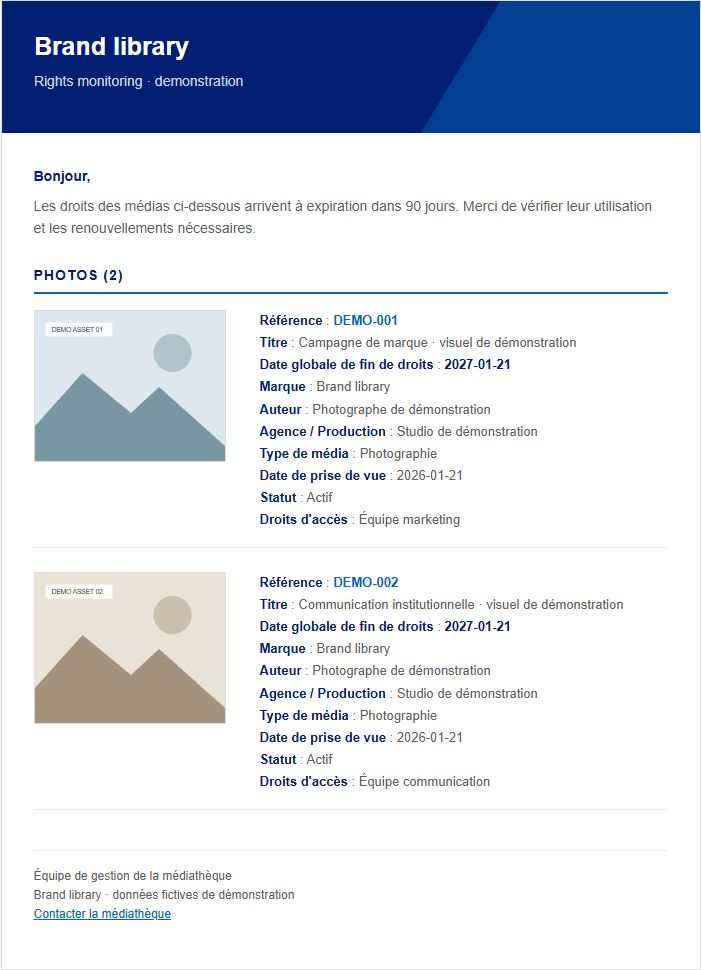
We developed a scheduled process that scans eligible assets, checks rights dates and prepares advance and expiry notifications. Recipients are resolved from the uploader and available download history, with a fallback contact where needed. Emails present the assets and include an attached report.
Notification history prevents repeated messages within the same alert window. A simulation mode checks the scope before sending or archiving. At expiry, the process can update status and archive affected assets under configured rules. Coverage of earlier downloads depends on the history collected.
Takeaway
A takeaway for your project
We connected rights dates, recipients and notification history in a scheduled workflow with a simulation mode.
Technologies
- Bynder
- PHP
- MariaDB
- SMTP
Your next step
Who gets notified when asset rights expire?
Describe your rights dates, notification recipients and archiving rules to scope the alerts and their follow-up.
Discuss your project